28 September 2007

How To Improve Digital Print Tonality

Sunday, 12 August 2007

By Ctein

I'd been holding this item for a future column, but the recent article on B&W digital photography makes it pertinent. One of the commenters perceptively noted that digital prints often (if not always) lacked the subtle tonality and fine gradation of traditional prints.

I'm not sure precisely where this occurs in the process. My hunch is that it has less to do with the camera and more to do with the 8-bit drivers, displays, and printers, and the RIPping engines that drive those printers. But really, I'm just waving my arms here. I don't know. In the next few years, we'll see fully 16-bit native drivers in the major applications and devices, and then will see if I'm right.

In the meantime, digital prints can have a slightly flat aspect to them; subtle variations in tone and color, "texture" or "snap" if you will, seem to get suppressed.

Bill Atkinson taught me a nice Photoshop fix for that. It works so well, and it's so easy to do, that I now use it on every photograph I print out.

Here's what you do. Pull up Unsharp Masking. Set the Amount for somewhere between 8 and 15% (depending on taste, subject, and printer). Set the Radius for around 60 pixels. Set the Threshold to 0. Let'er rip!

Blog35fig1
Here are the settings I used to produce the illustration below. This is a bit on the strong side, but I want to make sure the results are clearly visible on your display. For normal printing, you'll probably like a percentage value close to 10%.

You'll find that subtle tonal and color separation has been improved and increased without a commensurate increase in overall contrast. It's a real miracle worker.

Blog35fig2

On the left is the image before Unsharp Masking. On the right is the same image afterwards. The overall contrast really isn't any different, but there's an impressive improvement in the fine tonal separation.

Here's what's going on. Unsharp masking increases the difference between the target pixel and the surrounding pixels. With a small Radius it has little effect on areas of uniform tone. But when it hits a boundary, where there are both bright and dark pixels, it makes the bright pixels brighter and the dark pixels darker than the average. Consequently, there's an edge enhancement that makes the picture look sharper.

When you use it in the fashion I've just described, it doesn't see edges; it sees the average tonality over a broad area. If the target pixel differs from that average, it increases the difference by a small amount. Subtle variations in tone and texture get enhanced.

There may be a slight increase in the total value range of the photograph, because highlights are frequently small areas that fall within the 60-pixel radius. So you want to apply this filter before you do your last bit of curves fine-tuning to the image tone and contrast. Other than that, it doesn't really matter when you do it.

Try it; you'll like it!

________________

Ctein

Featured Comment by Nuno de Matos Duarte: "Here's another useful tip. I've been using the Local Contrast technique for a while and I've notice that it tends to blow the highlights and the shadows. So try this variation: use the values of Unsharp Mask suggested by Ctein in an Adjustment Layer. Go to: Layer Style > Blending Options. Go to: Blend If > This Layer, and split the cursors to the following values: 51/70 and 185/215. Create an Action to make it easy in the future. In my opinion, this technique works even better this way."

08 February 2007

Who are you looking at?


Nice bird on Perdido Key.
Posted by Picasa

24 January 2007


Have you ever come face to face with a large snake. Do not try this at home.
Posted by Picasa

22 January 2007


Sometimes the photographer has to make money and he makes ads for others. I recently made this ad for an import company in Florida.
Posted by Picasa

14 January 2007


Time to go fishing. Brought a couple og big guns in case the bad guys would show up!
Posted by Picasa

White heron, planning his day in Mobile Bay.
Posted by Picasa

11 January 2007


Inn for landing.
Posted by Picasa

06 January 2007

Life at Pedido Key Florida


Life at the beach, Jan 2007
Posted by Picasa

15 December 2006

Silverback Gorilla

This fella was guarding his remote island. Notice his escape vehicle in the background. Posted by Picasa

25 November 2006

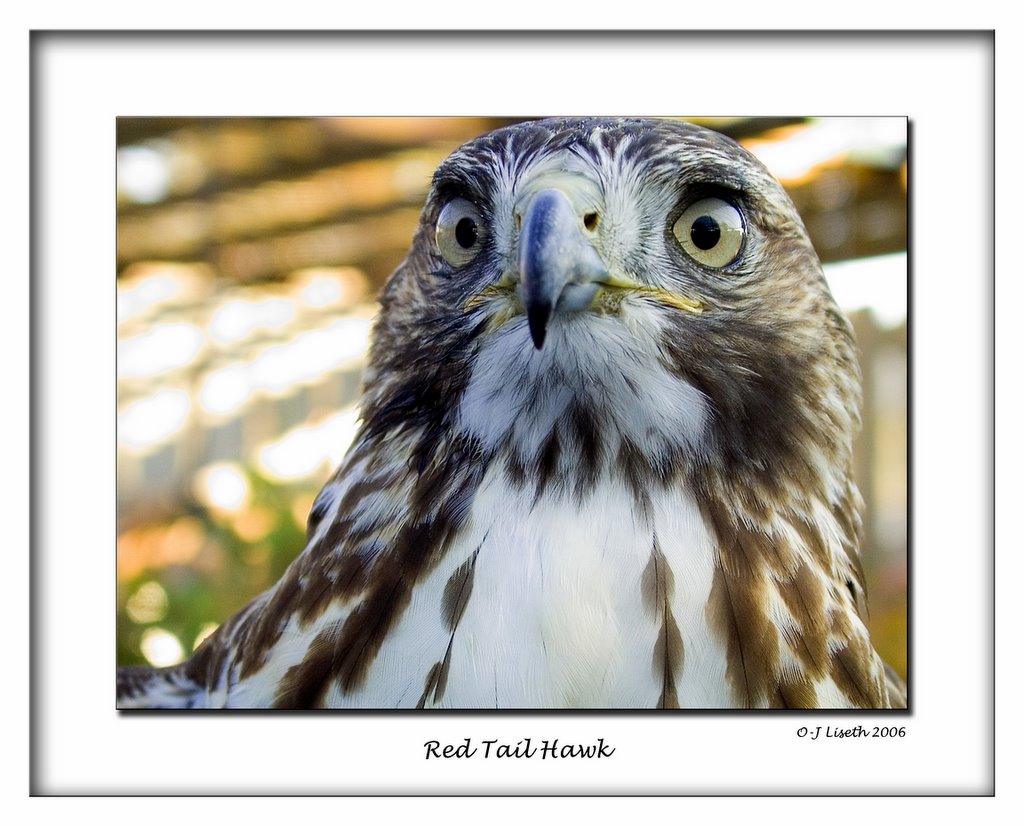
Red Tail Hawk

Immature Red Tail Hawk. This is a wild hawk captured only a couple weeks before this pictures was taken. The bird is currently in training to become a hunter. It will hunt for one season and let go. Fantastic to see such a magnificent bird up close. Posted by Picasa

01 November 2006


Another Pelican snarled up in fishing lines. This pelican was unable to move since its legs were tangled up in a fishing line. I did not see if there was a hook stuck in him. I called the local animal rescue, they were unable to pick up the bird. They would help if we brought the bird in. I did not have the equipment or car or help to bring him in. A couple friends of mine took upon themselves to rescue the bird the next day. They caught him and cut the lines from his feet and he was able to fly away and probably eat some. They also found a second Pelican with "something" stuck in his beak. They were able to dislodge it and let him go. Thanks to those volunteers that came to the Pelicans rescue.

27 October 2006


Sunsets after storms are ususally spectular. This one was no exception. These children were playing on Perdido Key after a mini hurricane.

21 October 2006


Heron on Perdido Key, Florida

14 October 2006


Small birds are hard to photograph. This one was good so I got quite close. This is a sanderling, a little bird with quick steps. It was on the beach in Perdido Key Florida.

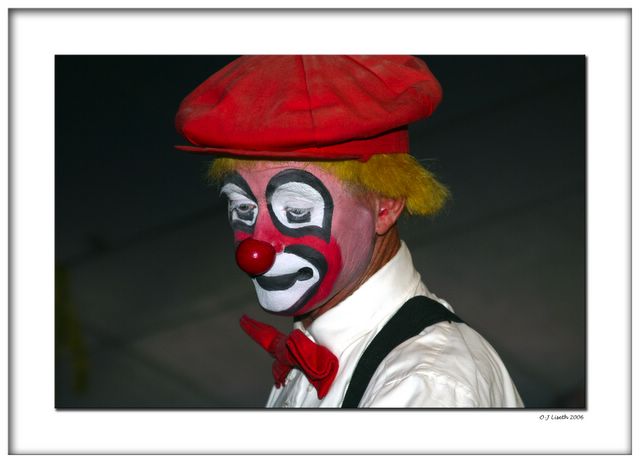
Life must go on. Clowning is hard work, particularly if nobody laughs.

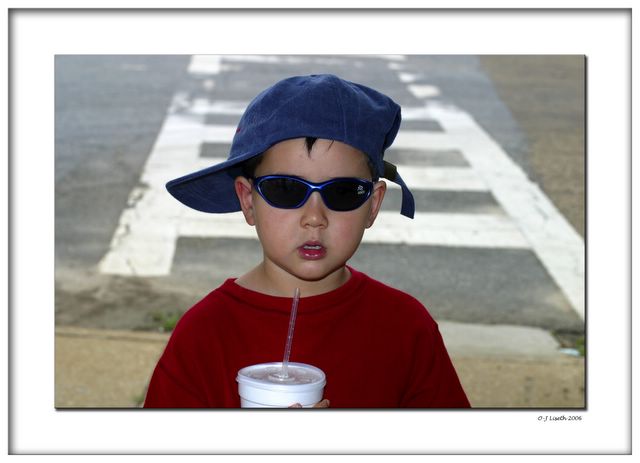
Coke anybody?

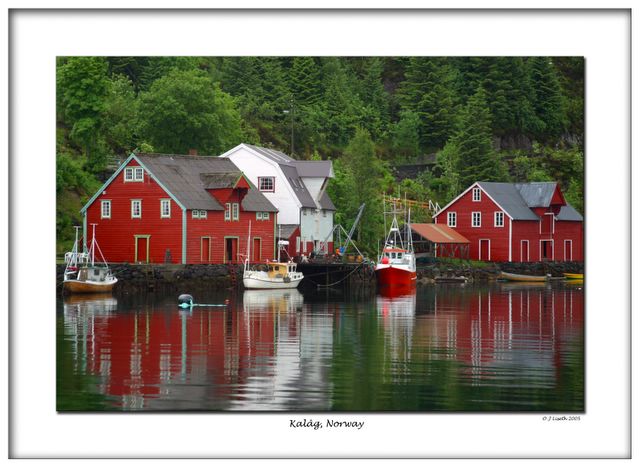
Small fishing village on an island in the North sea.

19 August 2006


You can include you own scanned signature In these Photoshop framed pictures.

This is an example of Photoshop framing. Making these frames can be recorder in to an action and played back automatically for other pictures. The frame makes the pictures complete.

06 August 2006

When the Canon D60 became too slow.


I have been shooting with the Canon EOS D60 for three years. Most of the time it has performed as expected, maybe a little slow at starting up, but acceptable 95% of the time. This camera has gone all over the world from sea level to 17,000 ft altitude. What most of photographed objects had in common was slow or no movement.
This all changed when a group of photographers went on a Black Skimmer shoot in Florida. To get the best quality and the most flexibility I use the RAW format. It took less than 5 min to figure out that this camera was chocking on continuous RAW shooting. After 5-7 RAW shots the camera would pause for up to 30 sec to clear the buffer. The situation improved some after switching to jpeg, but now we're compromising.
An ever bigger problem than the speed, was the accuracy for the tracking focus. We were shooting fast flying birds from 30-200 ft, flying sideways, towards you, up, down, etc. It was very difficult to get the focus to track the bird. In fact of the several hundred action shoots, less than 10% were useful. This is not all due to focus and speed, but it would account for the biggest share of the missed and bad photos.
The last reason has nothing to do with the camera, but the challenging situation. Imagine a bird flying 30 mph suddenly appears in front of you. It is relatively easy to spot with you wide angle eyes. But if you want a decent shoot you have to zoom in. Finding the fast moving bird in a small field of view is very challenging indeed.
One of the fellows was shooting with a Nikon D2x. He filled up 10 GB in less than an hour. The Nikon was shooting Raw (NEF) format at the speed of an M-16 (5 fps) and it never chocked. A third person was shooting with a Canon EOS 20D, with better results than the D60. The frame rate is higher and the focusing is better.
The other aspect of the shoot was the type of lens that was used. I personally used a 28-135mm lens. With the 1.6x factor it is equivalent to a 45-220mm. This proved to be a decent choice for close flybys , but a little short for anything else. The Nikon fellow was using a 70-200mm lens, 1.5x factor and that was probably the right lens for the job. The final shooter was using a 100-400mm lens and it was to big and heavy and only proved useful in 400mm zoom of still birds.